


A client request arrives by email, someone copies the details into a spreadsheet, another employee creates a task, and a manager follows up days later to see what happened. None of these steps seems unreasonable on its own. Together, they create delays, missed handoffs, duplicated work, and an operation that depends too heavily on people remembering what to do next. A workflow consultant helps businesses replace that uncertainty with processes that are clear, connected, and easier to manage.
For a growing small or medium-sized business, workflow improvement is not just about saving a few clicks. It can protect client service, reduce administrative pressure, create more reliable records, and give leaders better visibility into how work actually moves through the company. The right changes also help employees spend more time on work that requires judgment and less time chasing information.
What a Workflow Consultant Actually Does
A workflow consultant studies how work moves from beginning to end, then helps redesign the process around the people, systems, and decisions involved. That may include a client onboarding process, invoice approval, employee requests, lead follow-up, document review, service tickets, or recurring compliance tasks.
The goal is not to automate everything. Some processes need a human review step because the decision is sensitive, complex, or customer-facing. Others are ideal for automation because they follow predictable rules. A consultant separates those two cases rather than forcing technology into places where it creates friction.
This work usually begins with practical questions: What starts the process? Who owns each stage? Where does information get entered more than once? Which approvals cause delays? What happens when a request is incomplete? Where can work disappear without anyone noticing?
The answers often reveal that the biggest issue is not a lack of software. Many businesses already pay for capable tools, particularly Microsoft 365, but use them as disconnected destinations for files, messages, and spreadsheets. A well-designed workflow connects those tools to support a defined business outcome.
From informal habits to dependable processes
Small businesses often grow through informal coordination. Employees know whom to ask, managers approve requests in chat, and a few experienced team members keep the operation moving through personal knowledge. That approach can work for a while. It becomes risky when volume increases, staff change, or the business needs consistent service across multiple people or locations.
A workflow consultant documents the process without turning it into unnecessary bureaucracy. The purpose is to make the best path easy to follow, identify exceptions early, and ensure that important work does not rely on one person being available. Done well, the result feels less restrictive, not more. Employees have fewer decisions about where to save information, whom to notify, and what should happen next.
Signs You May Need a Workflow Consultant
The clearest sign is repeated operational friction. If the same issue comes up every week, it is rarely a one-time employee problem. It is usually a process problem that has not been designed, documented, or supported well enough.
You may benefit from workflow consulting if your team spends too much time moving data between systems, checking the status of routine requests, or searching for the latest version of a document. The same is true when managers approve items through scattered emails and text messages, leaving no dependable record of what was decided.
Other warning signs include missed client follow-ups, delayed onboarding, inconsistent reporting, and processes that slow down whenever a key employee is away. For professional services firms, these issues can affect trust as much as productivity. A delayed response, an overlooked document, or an incomplete handoff can shape a client’s view of the entire organization.
It also makes sense to bring in help before a major change, such as moving more work to Microsoft 365, opening another office, hiring rapidly, or replacing an aging line-of-business system. Building a better process before layering on new technology prevents a common mistake: recreating old inefficiencies in a newer platform.
Where Workflow Improvements Deliver Real Value
Not every process deserves the same investment. The strongest candidates are high-volume, repetitive tasks with clear rules and meaningful business impact. A consultant should prioritize areas where better flow can reduce risk, speed up service, or free employees for higher-value work.
Client onboarding is a frequent opportunity. When a new client signs, the business may need to create folders, gather documents, send agreements, assign internal tasks, schedule meetings, and provide status updates. If those steps are tracked across inboxes and individual checklists, important details can be missed. A structured workflow can create the right tasks, assign ownership, set due dates, and give the team a shared view of progress.
Approval processes are another common starting point. Purchase requests, time-off requests, invoice approvals, and content reviews often get stuck because the next approver is unclear or unavailable. A thoughtful workflow can route requests based on predefined rules, send reminders, preserve an approval history, and escalate items that have been waiting too long.
For organizations that handle sensitive data, workflow design can support security and accountability as well. Standardized access requests, offboarding checklists, and document-handling processes make it easier to apply consistent controls. Automation does not replace sound cybersecurity practices, but it can reduce the gaps created by informal, manual steps.
Automation Is Useful, but Process Comes First
It is tempting to start with a favorite automation tool and look for something to automate. That approach can produce fast demonstrations but weak long-term results. If the underlying process is confusing, automation may only make confusion happen faster.
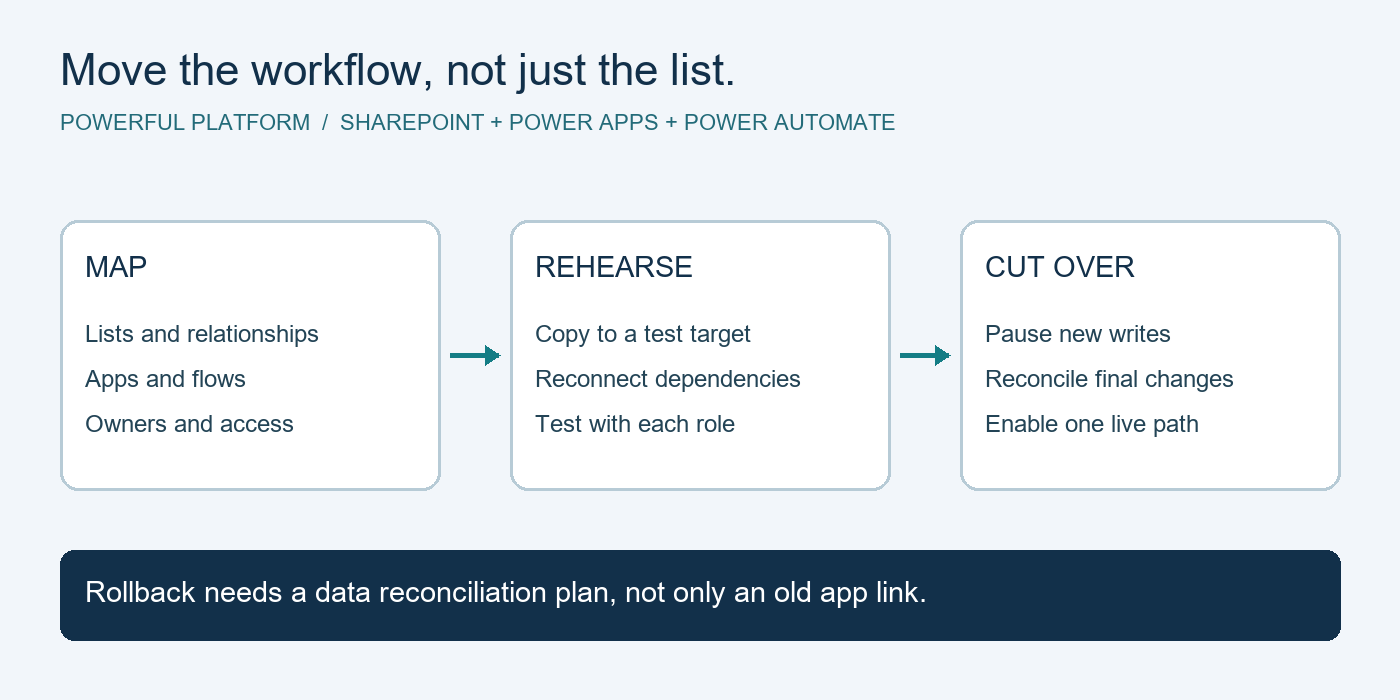
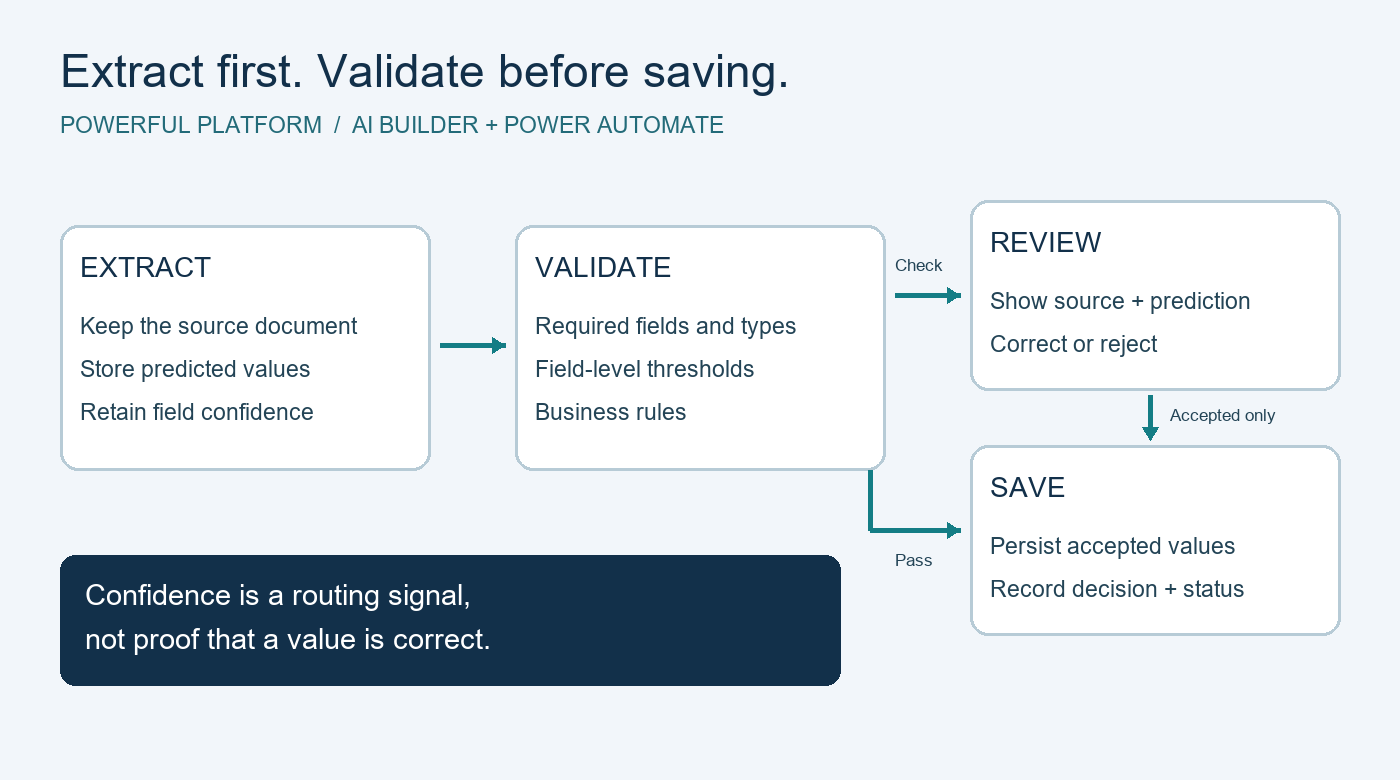
A capable consultant begins with the business need, then selects the right level of technology. Sometimes the answer is a shared Microsoft List and clearer ownership. Sometimes it is a Power Automate flow that sends notifications, creates tasks, collects approvals, and updates records. In other cases, a more structured solution using Power Apps, SharePoint, Azure services, or an integrated business system may be appropriate.
The trade-off is worth considering. More advanced automation can handle complex requirements, but it also requires stronger governance, maintenance, testing, and employee training. A simple process that people follow consistently is often more valuable than an ambitious solution no one understands or can support.
This is why workflow consulting should include an ownership plan. Someone needs to know what happens when a form changes, an employee leaves, an approval rule is updated, or an automated flow fails. For many small businesses, an experienced managed IT partner can provide that continuity alongside monitoring, helpdesk support, cloud management, and security guidance.
What a Good Consulting Engagement Looks Like
A productive engagement should feel grounded in day-to-day business operations, not like a software sales presentation. The consultant should spend time with the people who perform the work, not only leadership. Frontline employees often know exactly where delays, rework, and client frustration occur.
After mapping the current state, the consultant should define a future process in plain language. Everyone involved should understand the trigger, the required information, ownership at each stage, deadlines, approval conditions, and exception path. Only then should the technology configuration begin.
Testing matters. A workflow needs to work when information is missing, a request is urgent, an approver is on vacation, or a client provides something late. These are not edge cases in most businesses. They are normal operating conditions. Testing those situations before launch prevents employees from abandoning the new process at the first inconvenience.
Finally, results should be measured. Depending on the workflow, useful measures may include turnaround time, number of overdue requests, data-entry errors, client response time, or hours spent on manual coordination. The point is not to chase dashboards. It is to show whether the change is helping the business operate with more confidence and capacity.
Choosing a Workflow Consultant Who Fits Your Business
Look for someone who can discuss business outcomes before technical features. A consultant should be able to explain why a proposed change matters in terms of service quality, employee time, risk reduction, or growth capacity. If every answer begins and ends with a tool, the process may not receive enough attention.
It also helps to choose a partner with experience managing the technology that supports the workflow. A process built on Microsoft 365 or Power Platform needs appropriate permissions, security controls, backup considerations, user support, and ongoing administration. Treating automation as separate from the broader IT environment can create avoidable support issues later.
Powerful Platform approaches workflow improvement as part of Worry-Free IT: a practical way to make technology more dependable while helping teams work with less friction. That means considering the process, the systems behind it, and the people who need to use it every day.
The best workflow improvement is not the one with the most automated steps. It is the one your team can trust on a busy Monday morning, when requests are coming in quickly and everyone needs to know what happens next.
Leave a Reply