

A request was overdue at 9:00 and completed at 9:02. By the time a scheduled flow reaches it at 9:05, the owner has already done the work. Reading the current SharePoint item just before sending avoids many of these stale reminders.
Prepare the list
Start with a test SharePoint list, a flow owner with access to it and an approved test recipient. Record the deadline, status and accountable owner on each item. Agree when a date-only deadline expires in the business time zone. Confirm the organization’s connector and licensing entitlements.
Build the daily reminder
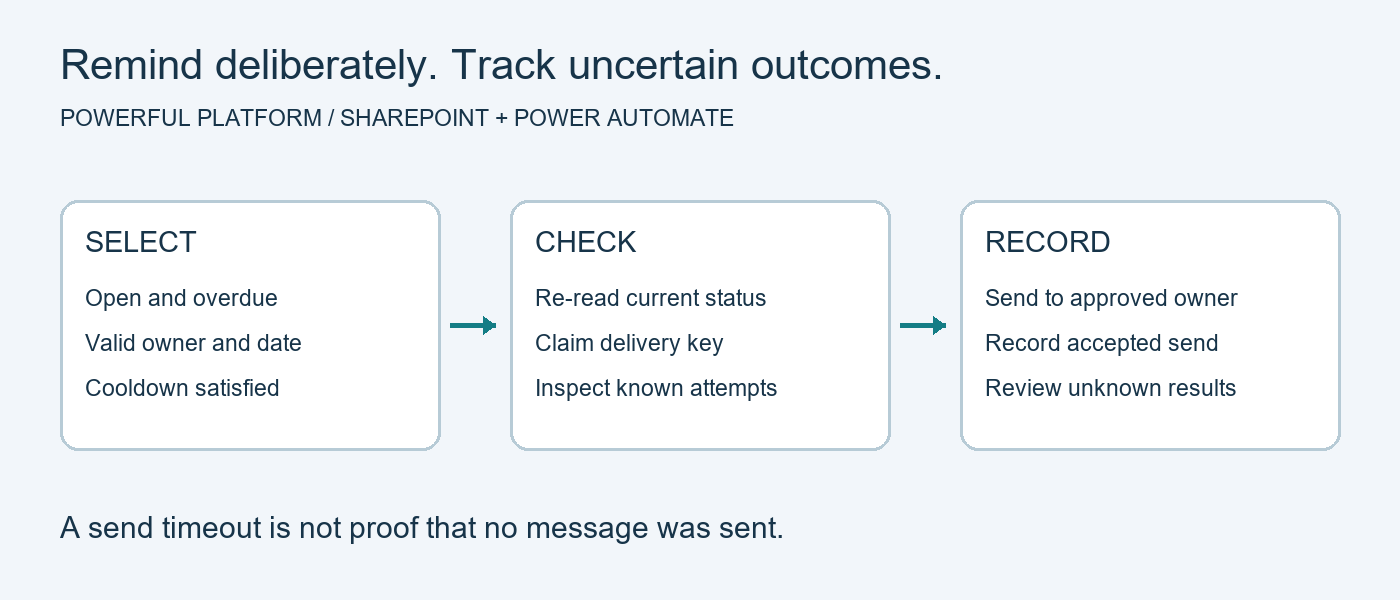
- Schedule a daily Recurrence flow in the business time zone. Capture the comparison time once per run. Filter the list to open items past their deadline. Test pagination with enough records to span two pages.
- Read each candidate again before delivery. Skip closed items and items whose revised deadline is still ahead. Check the current owner. Route missing owners to an exception list.
- In a restricted delivery log, reserve a unique entry for the request, deadline revision, reminder stage and local business date. If the entry already exists, inspect its outcome before taking action. Agree how reassignment affects a reminder already sent that day.
- Mark the entry Pending before sending. Mark it Sent after the connector accepts the message. If the send times out or the final log update fails, flag the entry for review. A second attempt could deliver a duplicate.
Test before enabling escalation
Try completing a request after the initial query, moving its deadline forward, changing its owner and running the sweep twice on the same day. Check both the recipient’s inbox and the log. A change can still occur between the final read and the send. Connector acceptance also leaves actual receipt unconfirmed.
Microsoft explains the scheduling and failure-handling controls in its scheduled flow guide and error-handling guidance.
Free reminder starter
The ZIP includes a manual build blueprint, synthetic examples and an MIT license. Build the flow in your own environment. Validation covered the files and ZIP integrity. Tenant execution and delivery testing are still required. Download the reminder source starter.
For help with a reminder that repeats or reaches the wrong owner, share a fictional deadline, status change and send time through Powerful Platform Community Help.

Leave a Reply